SIGNAL STATIC: playlist codes, batch 3-1
Apr. 24th, 2026 11:02 am![[personal profile]](https://www.dreamwidth.org/img/silk/identity/user.png) gelateria
gelateria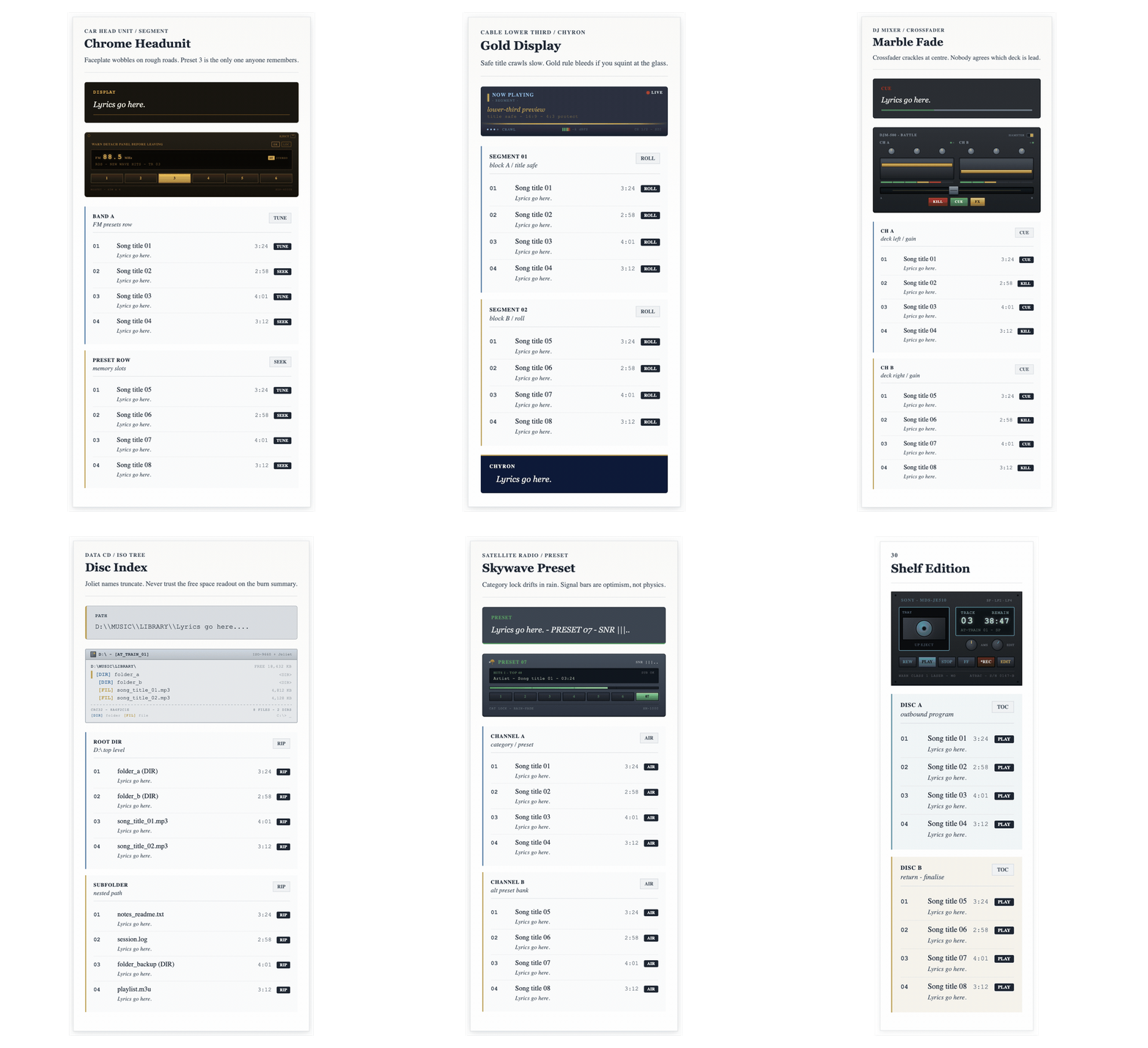
Playlist layouts - batch 03
Batch 03 leans further into panels, head units, presets and shelf systems.
There is a slightly cleaner, more indexed feel through these ten, with stronger labels and more visible display framing. Once again, the length of the post was too long, so I had to cut the last three off. All of the missing codes will be in a code overflow post at the end when I have finished posting this series.
The live preview comes first, with the copyable HTML directly underneath each layout.
21. Chrome Headunit
Batch 03
A dashboard-style layout with metallic trim and a direct, display-led face.
Copy the HTML below and paste it into Dreamwidth in HTML mode.
A good fit for sharper playlists with a more display-led feel.
22. Crystal Panel
Batch 03
A cleaner panel layout with lighter surfaces and strong, tidy signposting.
Copy the HTML below and paste it into Dreamwidth in HTML mode.
Keeps things tidy if you want the layout to read quickly at a glance.
23. Gold Display
Batch 03
A brighter interface layout with gold-toned highlights and a crisp screen feel.
Copy the HTML below and paste it into Dreamwidth in HTML mode.
Helpful when you want a brighter screen look without losing order.
24. Studio Panel
Batch 03
A studio-facing layout with firm structure and clear sectioning for denser playlists.
Copy the HTML below and paste it into Dreamwidth in HTML mode.
Best for denser playlists where clearer sectioning does more of the work.
25. Marble Fade
Batch 03
A softer display layout with blended tones and a smoother, more decorative finish.
Copy the HTML below and paste it into Dreamwidth in HTML mode.
A softer choice if you want a little more finish without going ornate.
26. Disc Index
Batch 03
A more indexed layout with catalogue-like signposting and a neat, labelled feel.
Copy the HTML below and paste it into Dreamwidth in HTML mode.
Works well when you want the layout to feel more filed and labelled.
27. Console Memory
Batch 03
A console-style layout with strong blocks and a more archival, saved-state look.
Copy the HTML below and paste it into Dreamwidth in HTML mode.
A useful option if you want something more blocky and archive-adjacent.


